Friday, May 11, 2018

Final Portfolio

You can start this today and complete it in the next few classes.

Please take a look at the blog and upload any work that you might have missed.

Make sure that all of the pictures have been DESATURATED - Converted to Black and White.

If you are sure that all of your assignments are up to date then begin work on your Final Portfolio.

Here are some good examples of past Final Portfolios:

http://elizabethpphoto13afall16.blogspot.com/

http://connorlphoto13afall16.blogspot.com/2016/12/final-portfolio.html

In the first section you will post your 15 strongest images from the semester and provide a brief critique of each including 1 very strong element and 1 element you could improve upon. NOTE- Pick something from the Critique Guide.

In the second part you will provide an assessment of your portfolio and your work ethic.


Overall Portfolio-Semester work

Please answer the following questions about your overall work this semester  using the 1-4 scale: 

1=Not at all, 2=Somewhat, 3=Mostly, 4=Absolutely

I completed my assignments on time 1 2 3 4

I fulfilled all assignments 1 2 3 4

Made good use of class time 1 2 3 4

Used a creative approach 1 2 3 4

My pictures unique and original 1 2 3 4

My craftsmanship is excellent 1 2 3 4

My images are sharp and focused 1 2 3 4

My images are well composed 1 2 3 4

My images have good contrast and exposure 1 2 3 4

My photography sets a mood 1 2 3 4

Thursday, May 3, 2018

Photo 1 Assignments-Catch Up if you have assignments missing


Here are all of the assignments we have worked on. Check your blog and if you are missing any assignments then work on them. Post the catch up work to your blog.
  • 1-5 – Snapshot or a Photograph
  • 1-18 – Snow Pictures
  • 1-22 – ISO Exercise
  • 1-26 – Shutter Speed Exercise
  • 2-1- Aperture-Depth of Field
  • 2-6-Rule of Thirds Exercise
  • 2-8-Perspectives  and Leading lines
  • 2-13-Principles of Design in Photography
  • 2-19-AP Images Critique
  • 2-21-Photography Ethics – Altered Images
  • 2-23-Adjustment layers
  • 2-27-Clouds
  • 3-1-Cropping Photographs
  • 3-5-Clone Stamp Toll
  • 3-5-Add and Remove Using the Clone-Stamp Tool
  • 3-9-Hardware Store Images
  • 3-20-Hardware Store Critique
  • 3-22-Platon
  • 3-26-Spring Flowers
  • 4-3-Discover New Photographers
  • 4-5-Dodge and Burn in Photoshop
  • 4-5-COC Art Show Submissions
  • 4-9-Using Filters in Photoshop
  • 4-13-Ozark Square Images
  • 4-17-Critique Ozark Square Pictures
  • 4-19-Ansel Adams
  • 4-25-Still Life Photographs
  • 5-3-Garrison Springs Photographs
  • 5-3-Critique Garrison Springs Photographs

Edit and Post Your Garrison Springs Images

Download, Edit, and Post the Garrison Springs Pictures from the field trip.

Crop, De-saturate and adjust Levels to get the best possible  image. 

Your pictures should include 3 examples each of:

3 Nature Scenes including 1 landscape

3  Natural Details - either Close ups or Textures
3 additional pictures of your choice from the field trip

Pick one of the pictures  and write a thorough critique in a new blog post


Wednesday, April 25, 2018

Still Life Photography

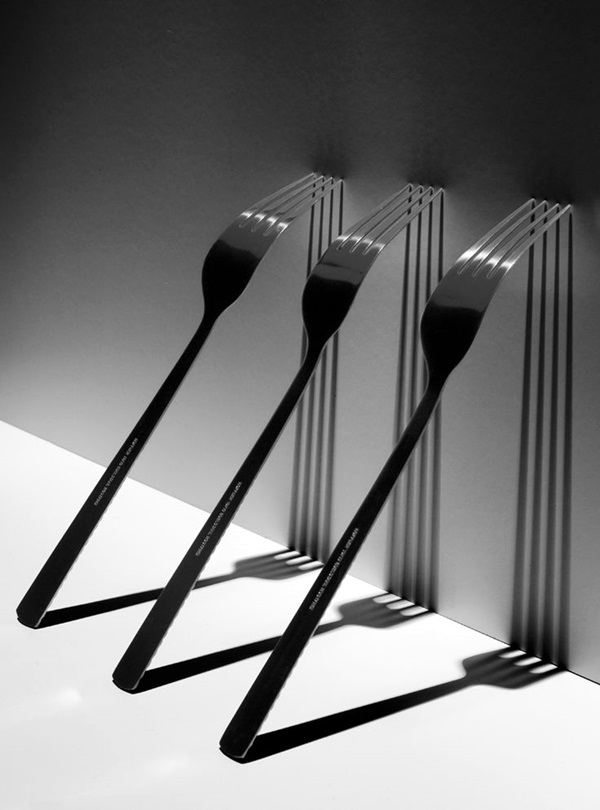
Today we will compose and photograph a Still Life image. A Still Life is a type of art where you arrange a small group of objects in an articitic manner. Usually you set the arrangement up on a tabletop with a controlled source of light.

Here is a post from a previous class:

http://connorlphoto13afall16.blogspot.com/2016/11/still-life.html

Here are some more examples...

Image result for black and white still life photography examples

Image result for still life black and white photography

Image result for still life black and white photography


Tuesday, April 17, 2018

Write 2 Critiques of the Ozark Square Pictures

Today you will write TWO thorough critiques using the Critique Guide.

1. the first will be a critique of one of your pictures from the Ozark square. Include a copy of the picture with your critique.

2. The second will be a critique of one of your classmates pictures from the Ozark square. Include the picture.

Here is a good example of a written critique:

http://jessicamphoto13afall16.blogspot.com/2016/09/personal-critique-of-ozark-square.html

Friday, April 13, 2018

Edit and Post the Ozark Square Pictures

Download, Edit, and Post the Ozark Square Pictures from the field trip.

De-saturate and Adjust Levels to get the best possible  image. 

Your pictures should include:

3 City Scenes

3 Architectural Details - either Close ups or Textures

If you have good shots of any of the following then you should post them also
Shadows
reflections
People - Environmental portraits
Animals
Plants or Nature


Monday, April 9, 2018

Using Filters in Photoshop

You can use filters to clean up or retouch your photos, apply special art effects that give your image the appearance of a sketch or impressionistic painting, or create unique transformations using distortions and lighting effects. The filters provided by Adobe appear in the Filter menu.


Assignment:
Experiment with a variety of Photoshop Filters. Post your pictures using 7 different filters. Add the name of the filter you used.

Thursday, April 5, 2018

CoC Art Show - Upload work for the contest!

The CoC art Show is coming up next week. Each of you will submit the best pictures you have taken this semester.
I'm looking both color and black and white and even pictures you have taken out of class.

You can submit as many as you want, but I want at least 3.

Good Luck!

Post them to your blog and also find the originals so we can print them

Dodging and Burning in Photoshop

Today we will discuss the Burning and Dodging tools in photoshop.

i will give a demonstration in class but there is a great tutorial here if you need to see it written out step by step. The tutorial covers everything i will show in class.

After I show you how to use the tools you will post an example of your use of the tools. The instructions and examples are below:

Post a before and after picture demonstrating your use of the Burn and dodge tools in Photoshop.

The burn tool will darken areas of your image, and the Dodge tool will lighten areas of your image.

In a brief paragraph explain the areas that you burned and dodged.

Follow the example below:

Original Photograph


Dodged and Burned Photograph


I dodged the highlights on the bananas and in the blurry chair in the backgound. I felt like the picture would be stronger if you could better see the details in the distance.
I burned the details in the glass bowl as well as in the bananas because I felt that the bowl was too grayish and i wanted more contrast. Finally I burned the wall on the right of the bowl because it was hard to see where the bowl ended and the wall began.

Tuesday, April 3, 2018

Discover New Photographers

Find new photographers to be inspired by! In this class I expect you to take risks and grow as a creative person.
An important way to do this is to explore what other photographers are doing.

Look for current photographers on these websites:

Lensculture
https://www.lensculture.com/


Art-Support
http://art-support.com/photographers.htm


Today your assignment is to find 3 contemporary photographers.

  • Write a brief biography about the artists and thier type of work. DONT COPY AND PASTE!!!
  • Upload 3-5 photos to your blog, include the titles and dates.
  • Explain why you chose them, and what you find interesting in thier work.
  • Discuss how you could use thier ideas and work to inspire something new in your photography.
  • Use photography vocabulary from  the Critique Guide, and Art (principles and elements of design) in your responses

Tuesday, March 20, 2018

Critique the Hardware Store Pictures

Today you will write TWO thorough critiques using the Critique Guide.

1. the first will be a critique of one of your pictures from the Hardware Store. Include a copy of the picture with your critique.

2. The second will be a critique of one of your classmates pictures from the Hardware Store. Include the picture.

Here is a good example of a written critique:

Here is a good example of a written critique:


http://jessicamphoto13afall16.blogspot.com/2016/09/personal-critique-of-ozark-square.html

Friday, March 9, 2018

Edit and Post Your Hardware Store Images

Download, Edit, and Post the Hardware Store Pictures from the field trip.

De-saturate (convert to B&W) and Adjust Levels to get the best possible image. You may also include the color version, but it is not required.

Use the Crop and Clone Tools to further edit your images

Your pictures should include:

Repetition

Details - either Close ups or Textures

You must upload at least 10 edited pictures.

Monday, March 5, 2018

Add and Remove Things From a Picture You have Taken

Using the Clone/Stamp Tool, REMOVE at least 1 thing and ADD another. Use a picture that you have taken.

...look at the examples below


Original Photo


 Retouched Photo


Retouching Using the Clone-Stamp Tool

Today we will work with a couple of tools to help improve minor imperfections in our photos.
Download the 2 photos below, retouch them, and upload the before and after pictures to your blog.


Here is a video to help you...


Thursday, March 1, 2018

Cropping Photographs

There are many times, in fact most times, when you will want to Crop a picture you take. to crop means to cut out the areas of a picture you do not want. it is used to help create a definite focal point, or point of interest, and can also be used to adjust your picture so that it complies with the Rule of Thirds.

Tools used:
Crop Tool
Ratio
View menu

I will give a demonstration of these tools in class, and you can find a detailed tutorial at the site below:


Your task today is to select 1 photo you have taken and crop them according to the Rule of Thirds. 

You may choose the Ratio, but state which Ratio you have chosen in the blog post.

Include the original version of the Photograph.

Here is an example below.

Cropping Assignment

Original Uncropped


Cropped . Original Ratio, Rule of Thirds


Friday, February 23, 2018

Adjustment layers - Desaturate-Levels Assignment - Post to Your Blog

Change a color photo to black and white
Open a photograph you have taken
Using the Hue-Saturation Adjustment layer, convert the picture to black and white.
Post the original and De-Saturated (black and White) to your blog.


Original Color


Desaturated


Adjusted Levels


Histogram

Wednesday, February 21, 2018

Photography Ethics - Altered Images

You are about to begin using Photoshop in this class. This software allows you to completely change a photograph from its original version.

What is ethical when taking pictures and using Photoshop? How much can we alter a picture and still call it true, honest photography that represents the situation we took a picture of?

Here is a statement of Photography Ethics from a website. Read over it. You will refer to these policies in your answers.


1.Autonomy - In what way can I show respect for a person's right to decline or consent to photography? How do I handle informed consent?
    2.Non-Maleficence (Do No Harm) - Am I creating and using photos in a manner that will do no harm to persons appearing in photos?

      3.Beneficence (Do Good) - What is my intention or purpose for taking this photo? How can I use a photo to promote a good cause while ensuring that I do no harm to individuals in photos?

        4.Fidelity - Am I using photos in a context that fairly represents the real situation, subject identity, or physical location of the image? What steps am I taking to properly credit the photographer?

          5.Justice - Am I photographing people and communities with the same respect I would show to neighbors and strangers in my home country?


            Now look at this site. Find 3 examples that make an impression on you.

            http://www.alteredimagesbdc.org

            In a brief paragraph for each picture., explain why the pictures are not 'Ethical". Use the Ethics website and the 5 Principles above to guide you.

            Monday, February 19, 2018

            AP Images Critique

            Today you will choose a photo from AP Images to critique. Follow the example below to do your critique.

            1. Copy the Image (or use the Snipping tool) to upload the photo to your blog.

            2. Add the link from the AP site to your blog.


            3. Paste the description of the photo from the AP site to your blog.
            Description: Ultra-Orthodox Jewish men pray ahead of the Jewish New Year at the Western Wall, the holiest site where Jews can pray in Jerusalem's old city, Wednesday, Sept. 4, 2013. Israelis happily welcomed the Jewish New Year late Wednesday despite uncertainty and turmoil brewing on both its northern and southern borders. (AP Photo/Sebastian Scheiner)


            4. Answer the following:


            • Who was the photographer?
            • What country and city was the photo taken in?
            • What event was photographed?
            • Describe the event that was photographed.
            • Why is the event newsworthy? Why is it important to us?


            5. Write a Critique. Use the Critique Guide in the link above.

            Thursday, February 8, 2018

            Using Different Perspectives and Leading Lines in Photography

            Today we will talk about Perspective. 

            When taking pictures, don't just shoot straight ahead at eye level. Take a look at the examples at the site below.

            http://digital-photography-school.com/perspective-photography-dont-just-stand-move-feet/

            Capture 2 Images of each of the following perspectives and post them to your blog:

            Birds eye Perspective
            Bugs eye Perspective
            Eye Level Perspective
            Horizontal Leading Lines
            Vertical Leading Lines
            Diagonal Leading Lines
            Curves - Shapes and Lines
            Combination of 2 of the various perspectives.

            Make sure to label each picture.


            Final Portfolio

            You can start this today and complete it in the next few classes. Please take a look at the blog and upload any work that you might have mi...